
Every analytics project starts with a CSV file. Somebody exports a table, drops it in a bucket, and a notebook reads it. That works until the file is a few gigabytes, the queries get slow, the storage bill grows, and a column of ZIP codes quietly turns into integers. At that point the question is no longer "can I read this file?" but "what format should this data live in?"
This post answers the Parquet vs CSV question with measurements instead of adjectives. I generated 10 million rows of sensor telemetry, wrote the same table as CSV, gzipped CSV, and Apache Parquet with two codecs, and ran the same queries against each file. I also cover where CSV is still the right choice, where Parquet hurts, and how to convert one to the other without losing data on the way.
I run Basekick Labs, where we build Arc, an open, SQL-native time-series database that stores everything as Parquet. So I have a side. The benchmark is plain Python with Polars and PyArrow, and the script and raw results are on GitHub so you can rerun it on your own data.
TL;DR
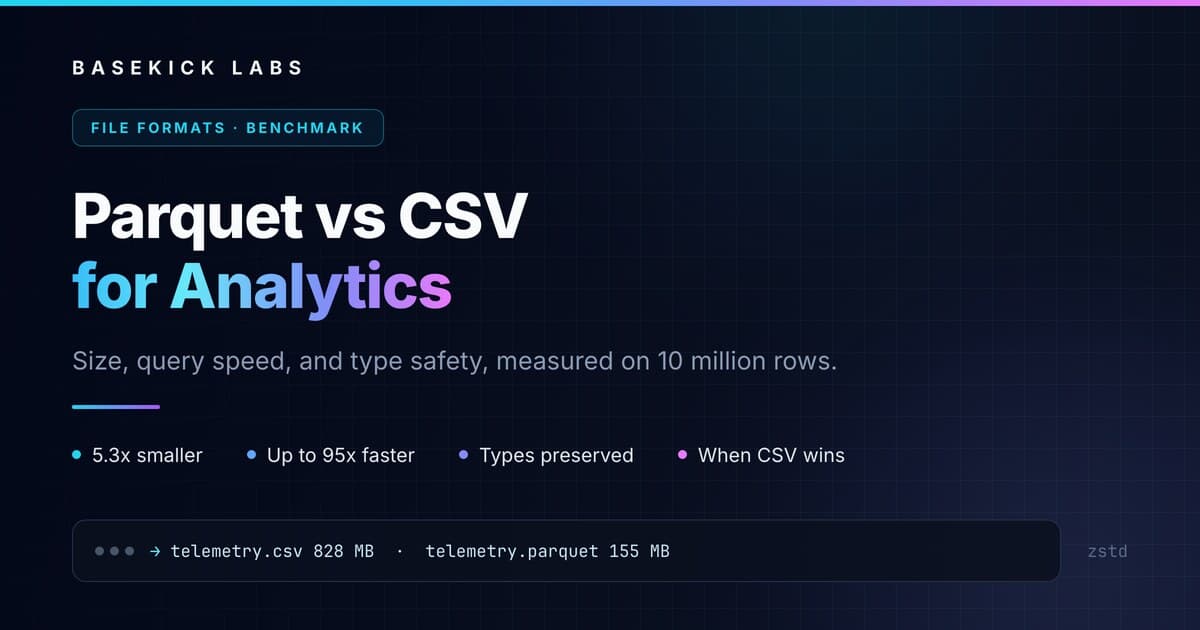
For analytics, Parquet beats CSV on every axis that matters at scale. On our 10-million-row test table, Parquet with Zstandard was 5.3x smaller than CSV (155 MB vs 828 MB), a single-column aggregate ran 14x to 15x faster, and a one-hour time-window query ran 66x to 95x faster, because Parquet's per-row-group statistics let the reader skip 90% of the file. With delta encoding on the timestamp, the Parquet file shrank to 97 MB, 8.5x smaller than the CSV. Parquet also stores column types, so values come back as typed data instead of strings each reader has to guess at.
CSV still wins for small files, data a human needs to open in a spreadsheet, interchange with systems that only speak CSV, and append-one-line-at-a-time logging. If you query the data more than once, convert it to Parquet.
What CSV is, and what it is not
CSV (comma-separated values) is a text format: one record per line, fields separated by a delimiter, an optional header row. The closest thing to a specification is RFC 4180, an informational RFC from 2005 that documents common practice rather than mandating it. In practice, delimiters, quoting, escaping, line endings, encodings, and null markers vary by producer.
What CSV does not have matters more for analytics:
- No types. Every value is a string. The reader guesses whether
00887is a number, whether2.4.1is a date, and whether2026-10-01T00:00:00has a time zone. - No column layout. To read one column, a parser still has to tokenize every byte of every row to find the delimiters.
- No statistics. Nothing in the file tells a reader which rows fall inside a time range, so every filter is a full scan.
- No built-in compression. You can gzip the file, but gzip is a single stream: to read any part of it, you decompress from the start.
What Apache Parquet is
Apache Parquet is an open-source, columnar file format designed for analytics. It started at Twitter and Cloudera in 2013, based on the record shredding approach in Google's Dremel paper, and has been a top-level Apache project since 2015. (There is a short glossary entry if you just need the definition.)
A Parquet file is organized in three levels:
- Row groups. Horizontal slices of the table, typically hundreds of thousands to millions of rows each.
- Column chunks. Inside each row group, every column is stored contiguously, so a reader fetches only the columns a query needs.
- Pages. Column chunks are split into pages, the unit of encoding and compression.
At the end of the file sits the footer: the schema with every column's type, the location of each column chunk, and statistics such as the minimum and maximum value per column chunk. A query engine reads the footer first and decides what to skip before touching any data.
Inside each column, Parquet applies encodings such as dictionary, run-length, and delta encoding, then a compression codec on top. Supported codecs include Snappy, gzip, LZ4, Zstandard (ZSTD), and Brotli. Similar values stored next to each other compress far better than mixed values in a row, which is the same reason columnar databases beat row stores on analytical scans.
CSV vs Parquet at a glance
| CSV | Parquet | |
|---|---|---|
| Layout | Row-oriented text | Columnar binary |
| Schema and types | None, inferred by the reader | Stored in the file footer |
| Compression | None built in (external gzip) | Per column: Snappy, ZSTD, gzip, LZ4, Brotli |
| Read one column | Parse the whole file | Read only that column's chunks |
| Filter by range | Full scan | Skip row groups using min/max statistics |
| Human-readable | Yes | No, needs a library or tool |
| Append a row | Write one line | Write a new file |
| Partially written file | Readable, but the last row may be cut short | Unreadable without the footer |
| Nested data | No | Yes (lists, maps, structs) |
| Tool support | Universal | Every modern analytics engine and dataframe library |
The benchmark: same 10 million rows, five files
The data. A synthetic IoT telemetry table with 10 columns: a microsecond timestamp (one reading every 100 ms, in time order, about 11.5 days of data), a device ID (5,000 distinct values), a site (20 values), a firmware version (2.4.1, 2.4.2, 2.5.0), a five-digit zero-padded ZIP code, four float measurements (temperature, humidity, pressure, voltage), and an integer error code.
The files.
telemetry.csv: plain CSV with a header, written by Polars.telemetry.csv.gz: the same CSV, gzip level 6.telemetry_snappy.parquet: Parquet, Snappy codec, 1 million rows per row group, statistics on.telemetry_zstd.parquet: Parquet, Zstandard codec, same layout.telemetry_zstd_delta.parquet: Parquet, Zstandard, written with PyArrow using delta and dictionary encoding (size only, see the tuning section).
The queries, all run through Polars' lazy API (scan_csv and scan_parquet) so each format gets the same optimizer. The CSV reads declare the types of the two columns that inference gets wrong (more on that below), so every format returns the same, correct data:
- Full read: load all 10 columns into memory.
- Single-column aggregate:
mean(temperature)over all rows. - Group-by: mean temperature, max pressure, and row count per site.
- Time window: mean temperature over one hour in the middle of the data.
The setup. Apple M3 Max, 36 GB RAM, Python 3.14.7, Polars 2.1.0, PyArrow 26.0.0. Each query ran five times and the table reports the median. The files fit in RAM and were already in the operating system's page cache when timing started, so these numbers measure parsing and decoding, not disk speed. On cold storage or object storage, the format that reads fewer bytes pulls further ahead. This is a first-party benchmark on synthetic data, so treat it as a demonstration of the mechanics. The benchmark script is about 150 lines; rerun it on your own data before quoting it.
Parquet vs CSV file size
| Format | Size | vs CSV |
|---|---|---|
| CSV | 827.7 MB | 1.0x |
| CSV + gzip | 197.9 MB | 4.2x smaller |
| Parquet (Snappy) | 238.8 MB | 3.5x smaller |
| Parquet (ZSTD) | 155.4 MB | 5.3x smaller |
| Parquet (ZSTD, delta + dictionary encoding) | 97.2 MB | 8.5x smaller |
Parquet with ZSTD was 21% smaller than gzipped CSV, and unlike the gzipped file it stays directly queryable. Snappy trades some size for cheaper decompression, which shows up in the next table.
The last row is the same table written with PyArrow instead of Polars' defaults, with delta encoding on the timestamp and dictionary encoding on the other columns. That alone cut the file by another 37%. In the default ZSTD file, time was the single largest column at 27 MB, because it was stored as plain 8-byte integers. Sorted timestamps that tick at a steady interval are almost free under delta encoding: each value is stored as a small difference from the previous one. Default writer settings leave real savings on the table, which is covered in the tuning section below.
Parquet vs CSV query speed
Median of five runs, in milliseconds. Lower is better.
| Query | CSV | CSV + gzip | Parquet (Snappy) | Parquet (ZSTD) |
|---|---|---|---|---|
| Full read, 10 columns | 749 | 809 | 69 | 75 |
mean(temperature) | 129 | 764 | 8.6 | 9.4 |
| Group by site | 154 | 765 | 23.3 | 28.0 |
| One-hour time window | 665 | 797 | 7.0 | 10.1 |
Against plain CSV, Parquet was 10x to 11x faster on the full read, 14x to 15x faster on the single-column aggregate, 5.5x to 6.6x faster on the group-by, and 66x to 95x faster on the time-window filter. Gzipped CSV was the slowest format on every query, at 760 to 810 ms regardless of what the query asked for. Gzip is a single stream with no index, so the reader has to decompress all of it before it can parse anything, and decompression is most of that time.
Why the time-window query is the biggest gap
The one-hour window covers 36,000 rows out of 10 million. With CSV, the reader cannot know where those rows are, so it parses all 10 million timestamps from text and compares each one. That is why this query cost 665 ms on CSV, five times more than the single-column average: converting ten million ISO-8601 strings into timestamps is expensive.
With Parquet, the footer records the minimum and maximum timestamp of every row group. The first row group of our file, for example, covers 2026-10-01 00:00:00 to 2026-10-02 03:46:39.9. The reader checks the hour against those ranges, skips the nine row groups that cannot contain it, and decodes just the time and temperature columns from the one that can. This is called predicate pushdown, and it is the reason time-ordered data in Parquet is so effective for time-series analytics: if the data is sorted by time when it is written, every time filter turns into a skip.
Why reading one column is so much faster
Polars only parsed the temperature column from the CSV, but it still had to scan all 828 MB of text to find the commas around it. The Parquet reader looked up the location of the temperature column chunks in the footer and read only those, about 15% of the file's bytes. On wide tables with 50 or 100 columns, where a dashboard query touches three of them, the gap grows with the column count.
The hidden cost of CSV: type inference
Speed and size are easy to measure. Silent data corruption is not, and it is the most common real-world argument against CSV for analytics.
When we read the benchmark CSV back with Polars, its type inference produced this:
| Column | Written as | Read back from CSV | Read back from Parquet |
|---|---|---|---|
zip_code | "00887" (string) | 887 (Int64) | "00887" (String) |
firmware (with date parsing on) | "2.4.1" (string) | 0001-04-02 (Date) | "2.4.1" (String) |
time (with date parsing off) | timestamp | String | Datetime |
error_code | Int32 | Int64 | Int32 |
Two of those are real data loss. The ZIP code lost its leading zeros because a string of digits looks like an integer. PyArrow's CSV reader made the same call by default, so this is not one library's bug; it is what inferring types from text does. The firmware version is worse: with date parsing turned on, so the timestamp column parses, 2.4.1 was read as day 2, month 4, year 1, and became a date in the first century. Version 2.5.0 became year zero, a date that Python's datetime cannot even represent. No error, no warning.
You can fix each case with explicit schema overrides, and you should. But every consumer of the file has to know to do it, every time. Parquet stores the type in the file, so the second reader gets the types the first writer declared: strings stay strings, and integer widths, decimals, timestamp units, and nulls survive the trip. CSV has no standard way to tell an empty string from a missing value.
When CSV is the right choice
Parquet is not a better format for everything. CSV wins when:
- A human needs to read it. Spreadsheets, quick inspection with
head, attaching a file to an email or a support ticket. - The file is small. Under a few megabytes, the parsing cost is negligible, and Parquet's footer and per-file overhead buy you little.
- You are exchanging data with a system that only speaks CSV. Many SaaS exports, bank statements, government open-data portals, and legacy ETL tools.
- You append one record at a time. A CSV log grows by writing a line. Parquet files are written once, and in practice adding rows means writing a new file.
- Partial files must stay readable. A CSV whose writer crashed is still readable, although its last row may be cut short and nothing marks it as incomplete, so check it. A Parquet file whose writer crashed before writing the footer cannot be read at all.
A common and sensible pattern is CSV at the edges (ingest, export, human handoff) and Parquet in the middle, where the data is stored and queried.
Where Parquet hurts
To be fair to CSV, these are the costs you take on with Parquet:
- Small files. Writing a Parquet file per event or per second produces thousands of tiny files, each with its own footer and too little data to compress well. You need buffering on the write side and compaction afterwards.
- No in-place updates. Changing or deleting a row means rewriting the file. Table formats like Apache Iceberg and Delta Lake add transactions and deletes on top of Parquet, at the cost of another layer to run.
- Schema evolution needs care. Adding a column is easy; renaming or changing a type across thousands of existing files is the reader's problem unless a table format tracks it.
- Write cost on small hardware. Encoding and compressing columns costs CPU. On our laptop it was not a problem: Polars wrote the Parquet files faster than the CSV (0.19 to 0.28 seconds against 0.36, single runs). On a constrained edge device, budget for it.
- Tooling. You cannot open it in a text editor. Every modern analytics stack reads it, but
grepdoes not.
How to convert CSV to Parquet
Conversion is a few lines in any dataframe library. The important part is declaring the types for any column that inference will get wrong. Both examples below were tested against the benchmark file.
With Polars (streams the file, so it works on CSVs larger than memory):
import polars as pl

(
    pl.scan_csv(
        "telemetry.csv",
        try_parse_dates=True,
        schema_overrides={"firmware": pl.String, "zip_code": pl.String},
    )
    .sink_parquet("telemetry.parquet", compression="zstd", row_group_size=1_000_000)
)
With PyArrow:
import pyarrow as pa
import pyarrow.csv as csv
import pyarrow.parquet as pq

table = csv.read_csv(
    "telemetry.csv",
    convert_options=csv.ConvertOptions(
        column_types={"zip_code": pa.string(), "firmware": pa.string()}
    ),
)
pq.write_table(table, "telemetry.parquet", compression="zstd")
Three habits make the output better:
- Sort by the column you filter on most, usually time, before writing. Sorted data gives tight min/max ranges per row group, which is what makes predicate pushdown work.
- Keep row groups large, but not huge. Somewhere between 100,000 and a few million rows is typical. Tiny row groups add footer overhead and hurt compression; very large ones make min/max skipping coarser, since a filter can only skip whole row groups.
- Check the schema after writing.
pl.read_parquet_schema("telemetry.parquet")takes milliseconds and catches the ZIP code problem before anyone else does.
Snappy vs ZSTD: which Parquet compression to use
Our numbers line up with the usual guidance. Snappy decompresses fastest and was the quickest on every query here. ZSTD produced files 35% smaller than Snappy, and its queries took 9% to 44% longer, which on this table meant at most 6 ms. Gzip inside Parquet compresses well but decodes slowly; ZSTD has largely replaced it.
A practical rule: use Snappy for hot data that is written often and queried constantly, and ZSTD for data you keep, especially on object storage, where you pay for every byte stored and transferred. Some systems do both, Arc included: write Snappy, then rewrite to ZSTD when files are compacted.
Tuning the encoding
The codec is only half of Parquet's compression. The encoding underneath it matters as much, and default writer settings do not always pick the best one. These are the PyArrow settings that produced the 97 MB file in the size table, 37% smaller than Polars' default ZSTD output for the same data:
import pyarrow.parquet as pq

# table: a pyarrow.Table, e.g. from the CSV conversion snippet above
pq.write_table(
    table,
    "telemetry.parquet",
    compression="zstd",
    row_group_size=1_000_000,
    use_dictionary=[c for c in table.column_names if c != "time"],
    column_encoding={"time": "DELTA_BINARY_PACKED"},
)
Delta encoding suits sorted integers and timestamps. Dictionary encoding suits repeated strings like device IDs, sites, and versions. PyArrow requires dictionary encoding to be off for any column you give an explicit encoding, which is why time is left out of the dictionary list.
CSV and Parquet in Arc
Arc follows exactly that pattern. Incoming writes are flushed as Snappy-compressed Parquet to keep the ingest path cheap, and compaction rewrites them as ZSTD. Files are organized by database, measurement, and time (hour directories, compacted into days), so a time filter skips whole partitions before it even reaches Parquet's row-group statistics. The files are plain Parquet on S3, Azure Blob, MinIO, or local disk, readable by Spark, Polars, ClickHouse, or any Parquet reader without Arc running. We made the longer case for that in Parquet vs proprietary formats.
If you have a pile of CSV exports today, Arc imports both formats with arcli, its command-line client:
# CSV: set the time column; the server parses ISO-8601 timestamps
arcli import csv -f telemetry.csv --database iot --measurement telemetry --time-column time

# Parquet: types are preserved end to end, and it is the faster path
arcli import parquet -f telemetry.parquet --database iot --measurement telemetry --time-column time
Then query the data with standard SQL:
arcli query --database iot "
  SELECT site, avg(temperature) AS avg_temp, max(pressure) AS max_pressure, count(*) AS readings
  FROM telemetry
  WHERE time >= '2026-10-05' AND time < '2026-10-06'
  GROUP BY site
  ORDER BY site"
Imports are admin-only on the server. CSV import has to infer types too, so if your file has columns like ZIP codes or version strings, the safest route is the one above: convert to Parquet with explicit types first, then import the Parquet file.
FAQ
Is Parquet better than CSV? For analytics, yes. Parquet is columnar, compressed, typed, and carries statistics that let readers skip data, so it is smaller on disk and much faster to query. CSV is better for small files, human-readable exports, and systems that only accept CSV.
How much smaller is Parquet than CSV? In our benchmark of 10 million telemetry rows, Parquet with Snappy was 3.5x smaller than CSV, Parquet with ZSTD was 5.3x smaller, and ZSTD with delta encoding on the timestamp was 8.5x smaller. The ratio depends on the data and the writer settings: sorted, repetitive, low-cardinality columns compress far better than random values.
Is Parquet faster than CSV? Yes, for analytical queries. We measured 10x to 11x faster full reads, 14x to 15x faster single-column aggregates, and 66x to 95x faster time-range filters, with the same Polars queries on the same data. The biggest gains come from reading only the needed columns and skipping row groups by their min/max statistics.
Is gzipped CSV as good as Parquet? For storage size, gzip gets close (4.2x smaller than CSV in our test, versus 5.3x for Parquet with ZSTD). For queries it was the slowest format we tested, because gzip is a single stream that must be fully decompressed before any query runs, even one that needs a single column.
What is the best file format for analytics? Apache Parquet is the standard columnar file format for analytics, supported by Spark, Polars, pandas, ClickHouse, Snowflake, BigQuery, Athena, and most other engines. ORC is a similar columnar format common in the Hive ecosystem. For tabular analytics, either beats row-oriented text formats like CSV and JSON.
How do I convert CSV to Parquet?
With Polars, pl.scan_csv("file.csv", schema_overrides={...}).sink_parquet("file.parquet", compression="zstd"). With PyArrow, pyarrow.csv.read_csv with column_types set, followed by pyarrow.parquet.write_table. Always declare types for columns like ZIP codes, IDs with leading zeros, and version strings, since type inference can change their values. The full snippets are in the conversion section above.
Can you append to a Parquet file? Not in practice. A Parquet file's footer is written when the file is closed, and most writers have no way to add rows to a finished file. To add data, write a new file alongside it. Databases and table formats built on Parquet handle this by buffering writes and compacting small files.
Should I use Snappy or ZSTD for Parquet? Snappy for hot data where decode speed matters most, ZSTD for data you retain, where storage size matters most. In our test ZSTD files were 35% smaller than Snappy, and queries took 9% to 44% longer, at most 6 ms on 10 million rows.
Related reading:
- What Is a Columnar Database? (2026 Guide)
- Parquet vs Proprietary Formats: Why Standard Storage Matters
- Arc Data Model: Five Decisions That Are Hard to Undo
- One Dataset, Two Engines: Arc's Zero-Copy Iceberg Tables
- 6 Best Time-Series Databases in 2026: An Honest Comparison
Explore Arc:
About the author. I am Ignacio Van Droogenbroeck, founder of Basekick Labs and an ex-InfluxData engineer. I have spent a lot of my career watching good data get stuck in formats only one tool could read, or exported to CSV and quietly mangled on the way out. Arc stores everything as plain Parquet because the format you keep your data in should outlive the database that wrote it. If that sounds right to you, try Arc.