Download Arc — AGPL-3.0
Get started in 30 seconds.
One Go binary. Docker, Kubernetes, or native. Pick your path and you're writing data in under a minute.
Recommended
Docker
Run Arc as a single container.
docker run -d -p 8000:8000 \
  -e STORAGE_BACKEND=local \
  -v arc-data:/app/data \
ghcr.io/basekick-labs/arc:latestCluster
Kubernetes
Install the Arc v26.09.3 Helm chart.
helm install arc https://github.com/basekick-labs/arc/releases/download/v26.09.3/arc-26.09.3.tgzBare metal
Linux
Install the Arc v26.09.3 Debian package.
wget https://github.com/basekick-labs/arc/releases/download/v26.09.3/arc_26.09.3_amd64.deb
sudo dpkg -i arc_26.09.3_amd64.debTry Arc with real data
Install arcli, load the sample, and run a query.
1 · Install and connect
brew install basekick-labs/tap/arcli

arcli config create --name local --endpoint http://localhost:8000 --token YOUR_TOKEN
2 · Load the sample
arcli sample load citibike3 · Query it
arcli query --database nyc "SELECT start_station_name AS station, count(*) AS trips
  FROM citibike_trips GROUP BY 1 ORDER BY trips DESC LIMIT 5"
arcli verifies and imports about one million Citi Bike trips, then suggests more queries. Explore arcli →
Prefer curl? Write and query one point
Write
curl -X POST http://localhost:8000/api/v1/write/line-protocol \
  -H "Authorization: Bearer YOUR_TOKEN" \
  -H "x-arc-database: default" \
  --data-binary "cpu,host=server01 value=0.64"
Query
curl -X POST http://localhost:8000/api/v1/query \
  -H "Authorization: Bearer YOUR_TOKEN" \
  -H "Content-Type: application/json" \
  -d '{"sql":"SELECT * FROM cpu LIMIT 10"}'
Optional
Prefer a browser?
Arc Launchpad is a self-hosted web console for querying and managing Arc.
Run it with Docker Compose, open http://localhost:3000 and connect to Arc.
LAUNCHPAD_JWT_SECRET=$(openssl rand -hex 32) docker compose up -d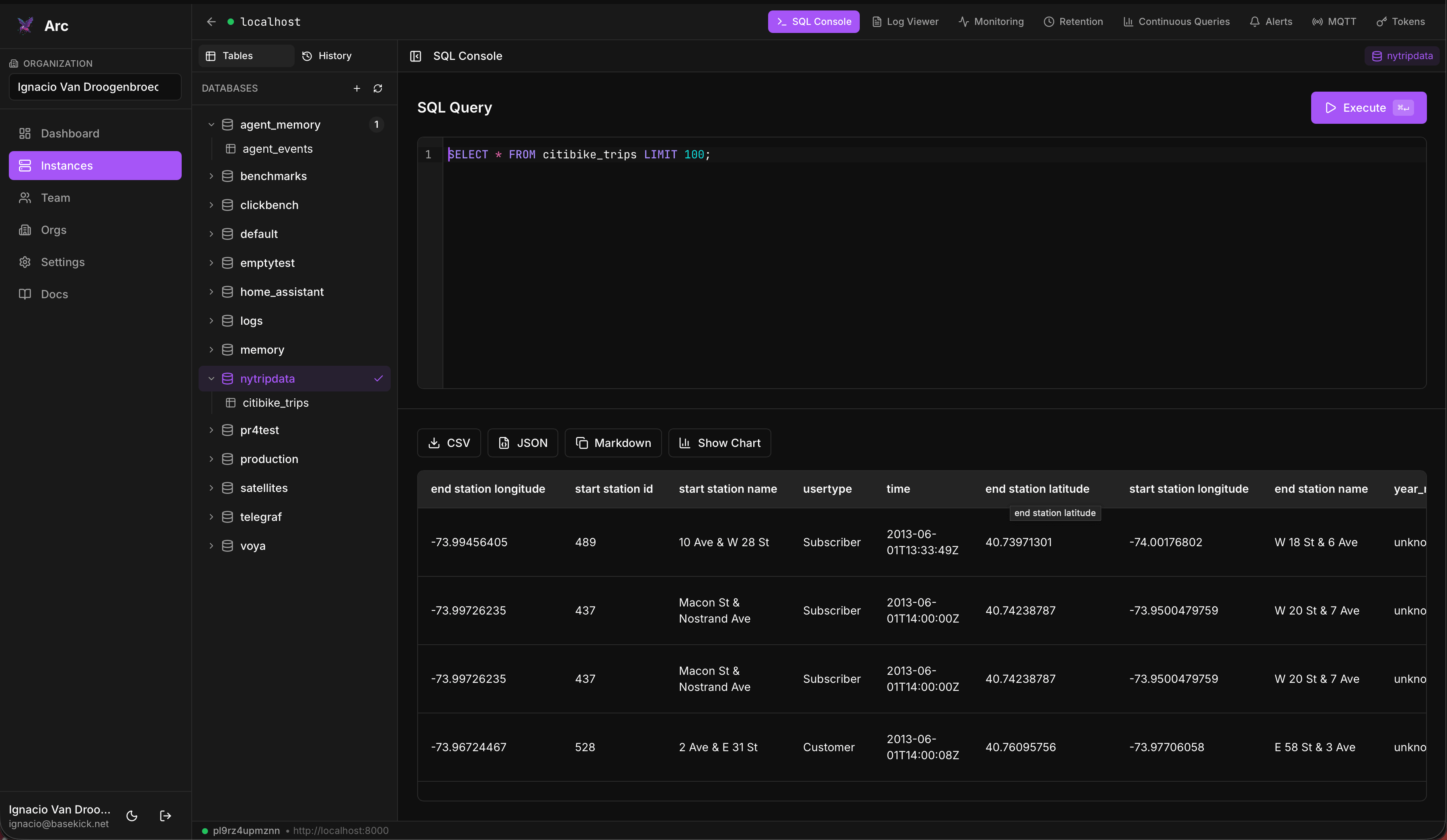
Running Arc at scale?
Arc Enterprise
Multi-node clustering, RBAC + SSO, audit logging, tiered storage automation, and dedicated support. Self-hosted or fully managed.
- Multi-node clustering and high availability
- Role-based access control (RBAC) and SSO
- Audit logging and query governance
- Tiered storage automation
- Dedicated support and SLAs