A web UI for Arc.
Query it. Run it.
Arc Launchpad is a self-hosted control panel for the Arc instances you already run.
Run SQL, manage tokens, retention, alerts, continuous queries, and MQTT ingestion, and invite your team. All from the browser.
What it is
The missing front end for Arc
Arc is API-first. That's exactly what you want for ingestion pipelines and automated jobs, but not always what you want when you sit down to look at your data, hand a teammate access, or check why last night's continuous query didn't fire.
Launchpad connects to the Arc instances you already run and gives you a UI to both query and operate them. It doesn't provision or host databases. You bring your own Arc, and your data never leaves it.
Point it at an endpoint plus an admin token. One instance or many.
Launchpad stores only accounts, teams, and connection records. Queries proxy straight to your instance.
Runs on your infrastructure via Docker, Compose, or Helm. Apache-2.0.
Capabilities
Query and operate, in one console
Everything below is driven live against Arc's admin API. No config files, no curl scripts.
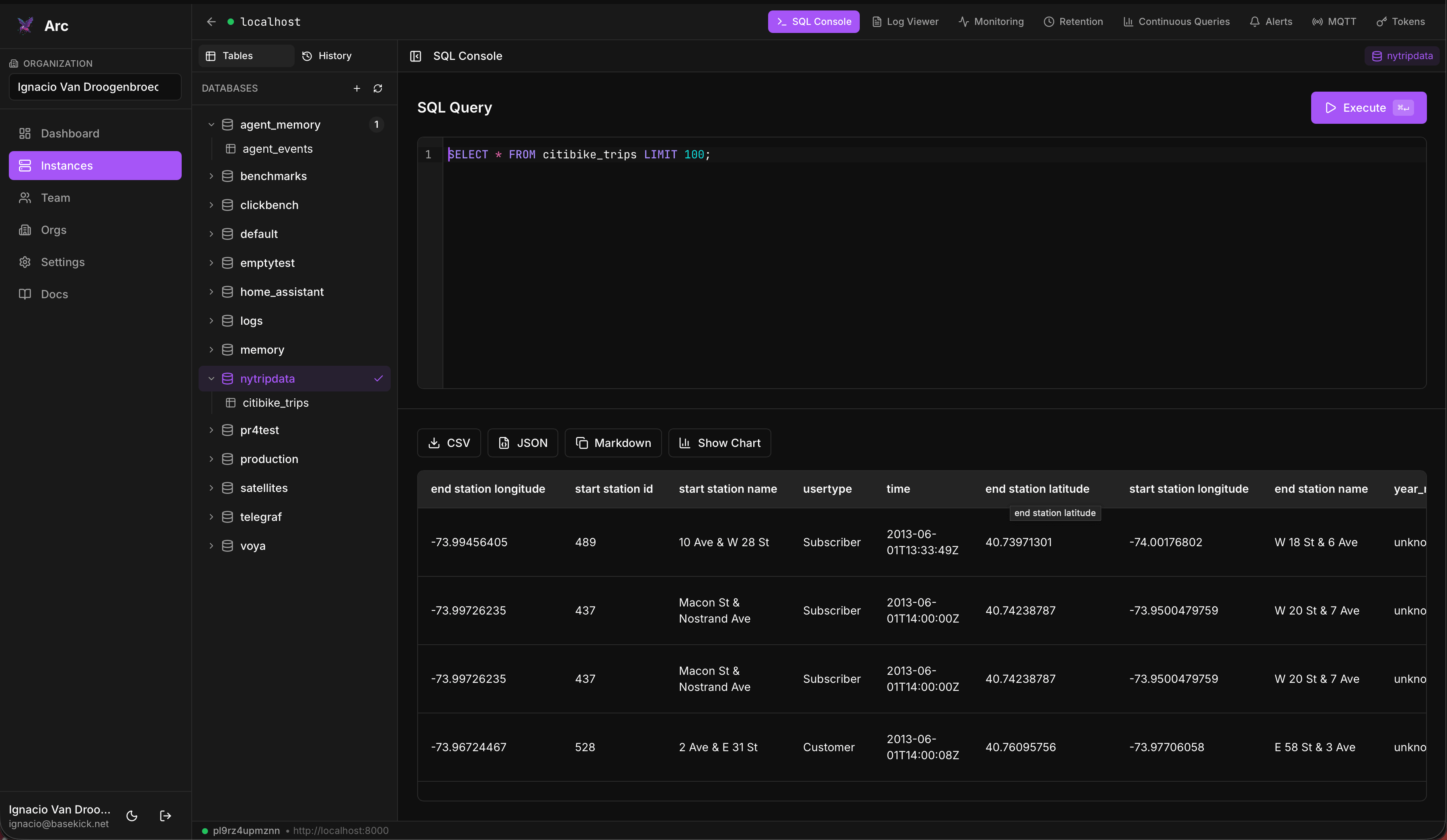
SQL console
Schema explorer, query history, multi-tab editing, and result export to CSV, JSON, Markdown, or a chart.
Logs & monitoring
Browse the logs you store in Arc with pattern detection and trace extraction, and watch Arc’s own self-observability.
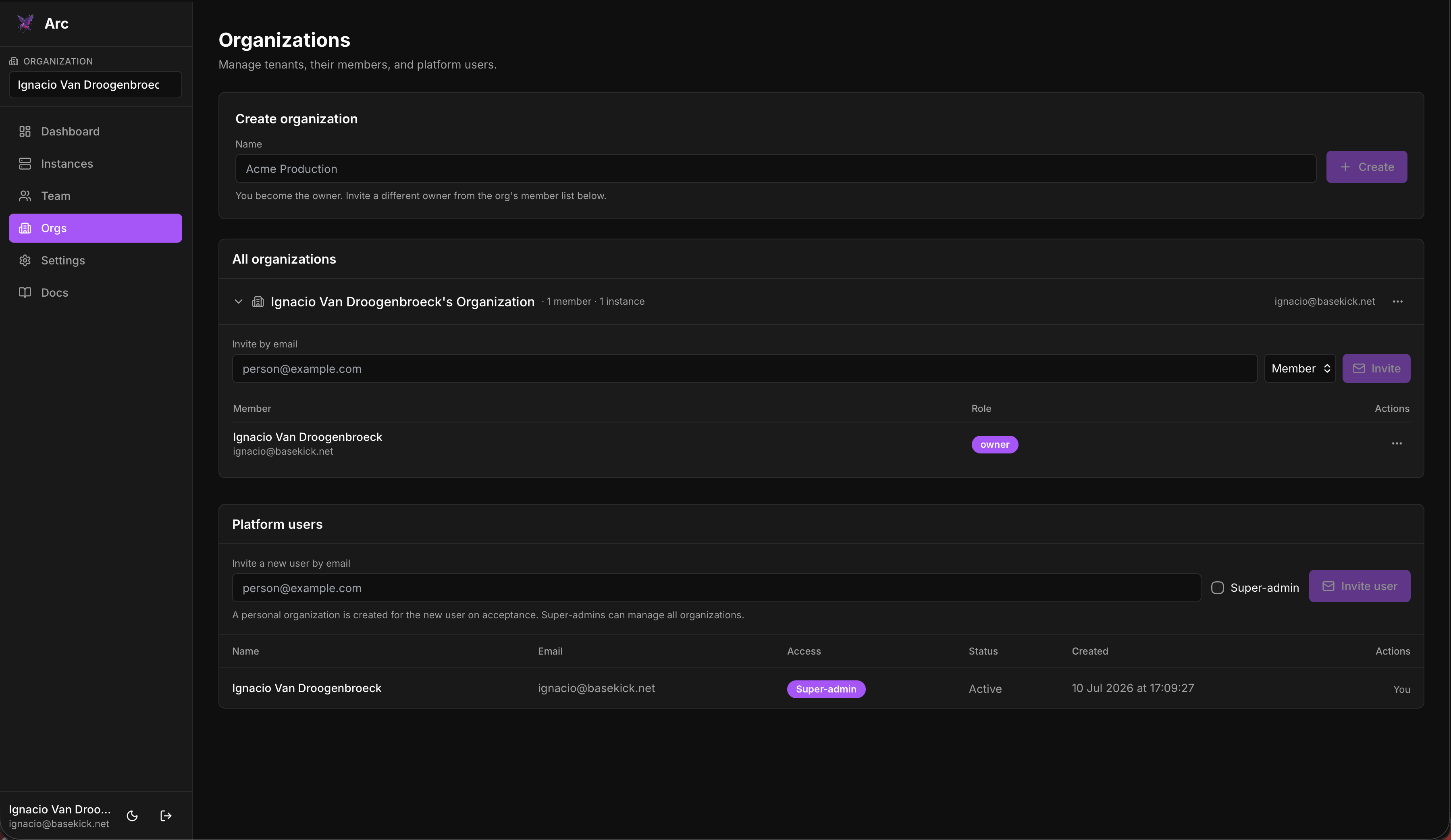
Retention policies
Automatic data-retention rules per database and measurement, with a dry-run that shows exactly what would be deleted first.
Continuous queries
Roll up and downsample on a schedule. Pick a source, a window, a destination, and let Arc materialize it continuously.
Alerts
Threshold alerts over your data with a check interval and a webhook. See recent triggers and manage them in place.
MQTT ingestion
Manage broker subscriptions that ingest topics into Arc: TLS/mTLS, QoS, per-topic routing, and live throughput stats.
Token management
Create Arc API tokens scoped read or read/write, describe them, and revoke or disable without deleting. Full lifecycle.
Teams & organizations
Invite users, assign roles, and share access to instances across a team. Read-only members query; admins operate.
Local auth
Email and password with optional MFA (TOTP) and passkeys (WebAuthn). No external identity provider required.
Operate your instances
Retention policies, alerts, continuous queries, and tokens: created and run from the browser, driven live against Arc’s admin API. Retention even has a dry-run that shows exactly which files and records a policy would remove before anything is deleted.
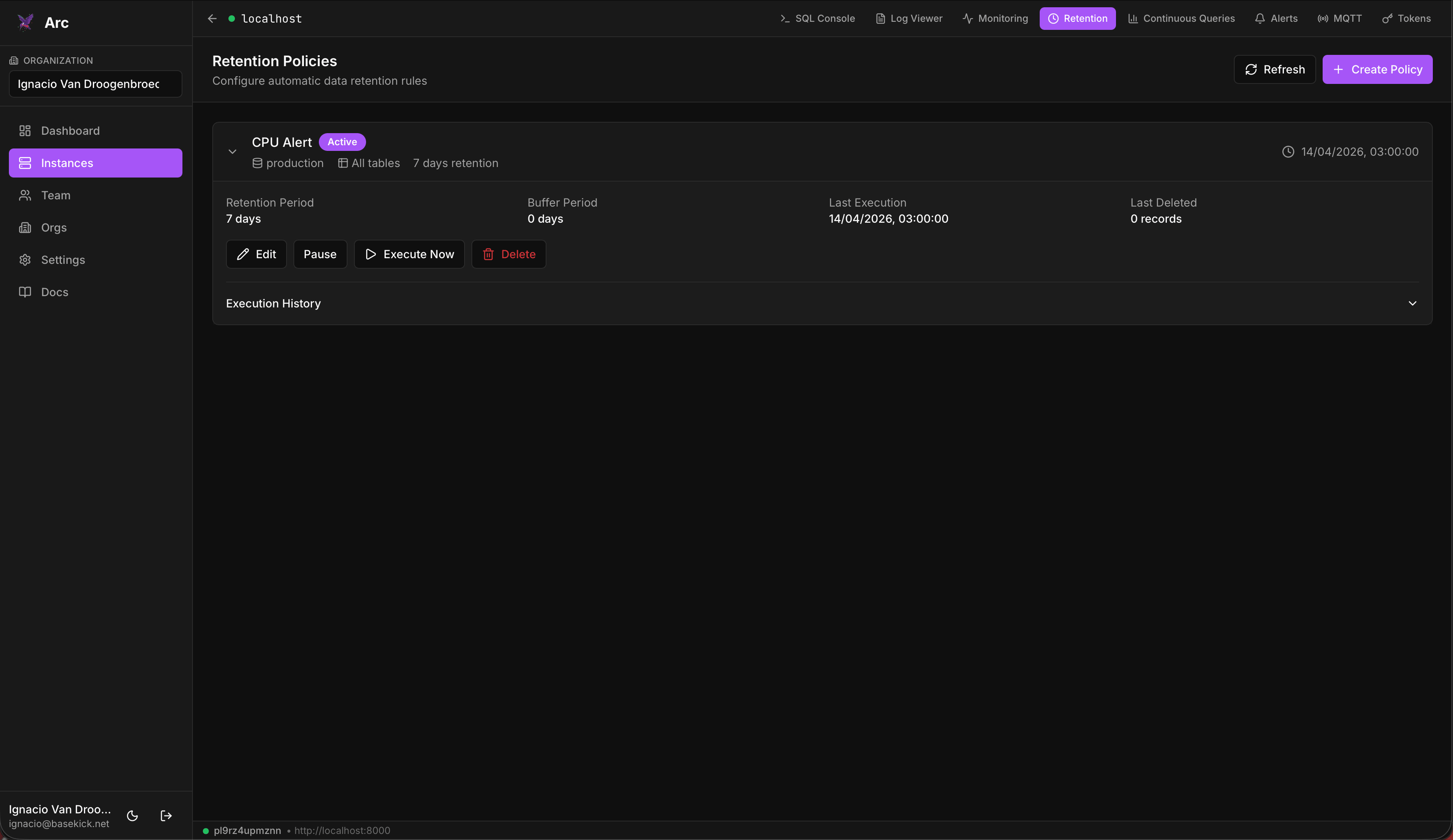
Manage MQTT ingestion
Pulling sensor and IoT data over MQTT? Manage the whole ingestion path from the browser. Configure the broker, TLS or mTLS, QoS, and per-topic database routing, then watch live throughput as messages flow in.
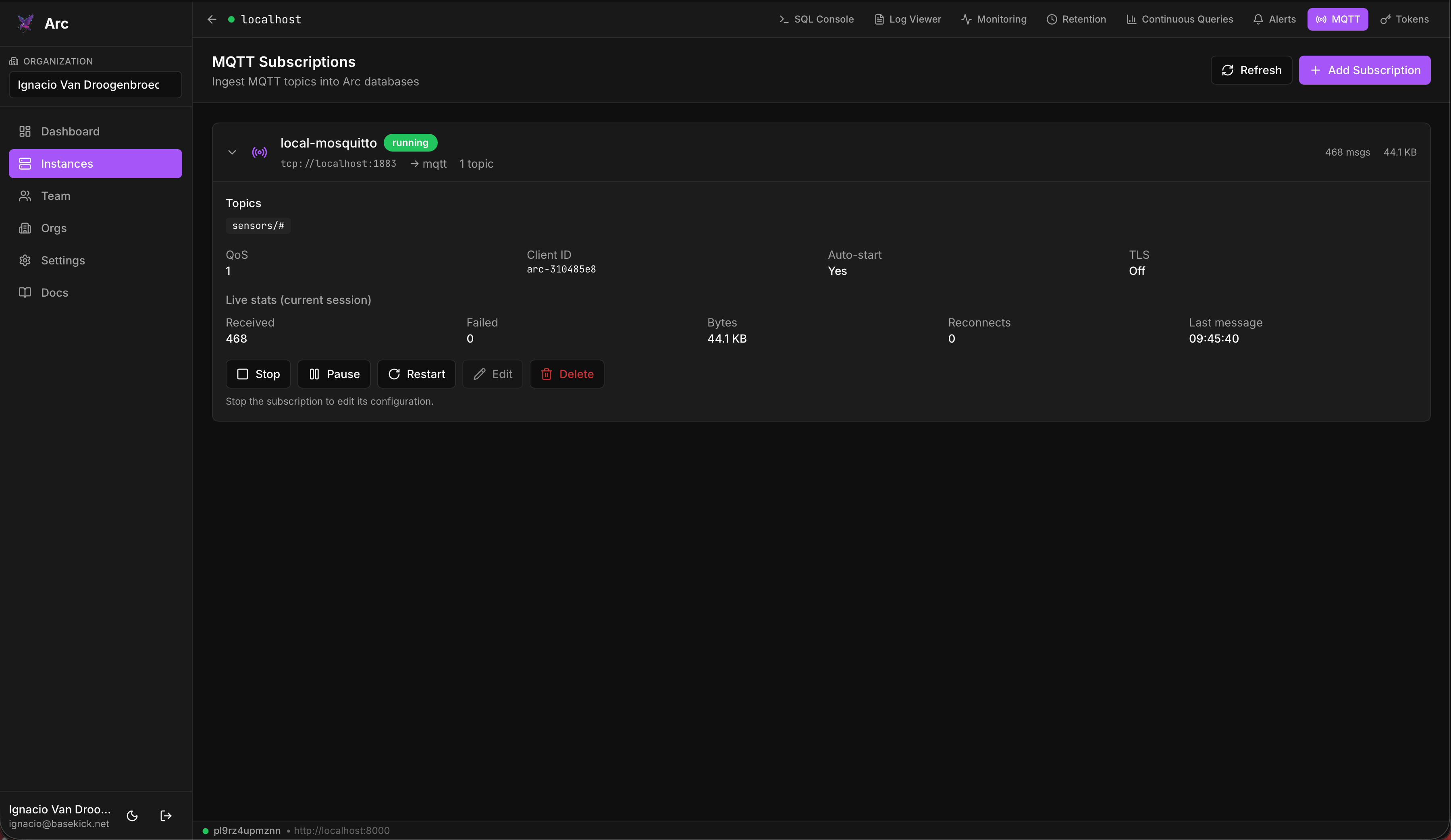
Run it as a team
Invite users into organizations, assign roles, and share access to your Arc instances. Read-only members can query and explore; admins get the operational surface. Local auth with optional MFA and passkeys, no external IdP required.
Quick start
Deploy it alongside Arc
Bring up Arc and Launchpad together with one Docker Compose command.
Create docker-compose.yml
services:
  arc:
    image: ghcr.io/basekick-labs/arc:latest
    ports: ["8000:8000"]
    environment:
      - STORAGE_BACKEND=local
    volumes:
      - arc-data:/app/data

  launchpad:
    image: ghcr.io/basekick-labs/launchpad:latest
    depends_on: [arc]
    ports: ["3000:3000"]
    environment:
      - LAUNCHPAD_JWT_SECRET=${LAUNCHPAD_JWT_SECRET:?set it}
      - LAUNCHPAD_BASE_URL=http://localhost:3000
      - LAUNCHPAD_DB_PATH=/app/data/launchpad.db
      - LAUNCHPAD_ALLOW_PRIVATE_ENDPOINTS=true
    volumes:
      - launchpad-data:/app/data

volumes:
  arc-data:
launchpad-data:Bring it up
LAUNCHPAD_JWT_SECRET=$(openssl rand -hex 32) docker compose up -dOpen it and connect
Visit http://localhost:3000. The first account you create becomes the admin. Add a connection pointing at http://arc:8000 with Arc's admin token, and you're in.
Prefer standalone Docker, Helm, or from source? See the installation guide.
Give your Arc a face
Self-hosted, open source, and available today.