
Node-RED is where a lot of sensor and plant data gets shaped before it is stored. A flow reads a Modbus register, an OPC UA tag, a serial line or an MQTT topic, cleans the value up, adds the line and the machine it came from, and hands it to a database. Until now, getting that last step into Arc meant a generic HTTP request node and code you wrote yourself.
Today there is a native package: @basekick-labs/node-red-arc. It adds three nodes:
| Node | What it does |
|---|---|
| arc-server | The connection: URL, token, default database, optional TLS. |
| arc write | Buffers rows per measurement and sends them to Arc as MessagePack, in batches. |
| arc query | Runs SQL and returns the rows. |
Every value in a message is a column. There is nothing to declare and no schema to create first.
The part we spent the most time on is what happens when things go wrong: a message is finished only when Arc has acknowledged its rows, and the node itself never sends the same rows twice. Most of this post is about what that looks like in practice.
Everything below was run on Node-RED 4.1.8 against Arc 26.09.4, the current release, except the cluster section near the end, which previews the next release. The package is also tested on Node-RED 5.0.9.
Install
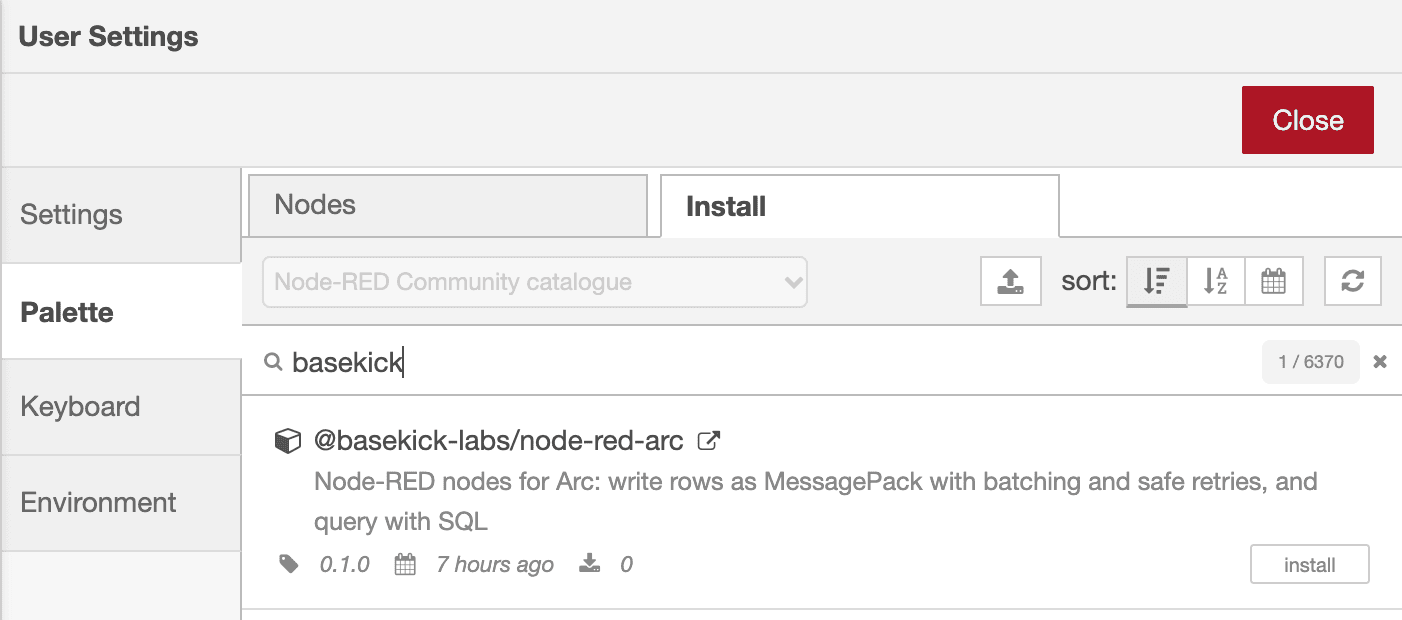
In Node-RED, open Menu → Manage palette → Install, search for basekick and install @basekick-labs/node-red-arc:
Or install it from your Node-RED user directory and restart Node-RED:
cd ~/.node-red
npm install @basekick-labs/node-red-arc
The nodes need Node-RED 4.0 or later.
Arc and a token
If you do not have Arc running yet, start it in Docker:
docker run -d --name arc -p 8000:8000 -v arc-data:/app/data \
  ghcr.io/basekick-labs/arc:latest
docker logs arc 2>&1 | grep "Admin API token"
Arc prints an admin token on its first start. Do not give that one to Node-RED. With arcli, create a token that can read and write, and nothing else:
arcli auth token create --endpoint http://localhost:8000 --token "<admin-token>" \
  --name node-red --permission read,write --description "Node-RED flows"
arcli prints the new token's secret once, followed by:
Created token "node-red" (id 2). Store the secret securely; it cannot be retrieved again.The first flow
Drag an arc write node onto a flow and add a server: the URL, the token you just created, and a default database. Arc creates the database on the first write. Test connection checks Arc's health endpoint, then the token, and tells you what it is allowed to do.
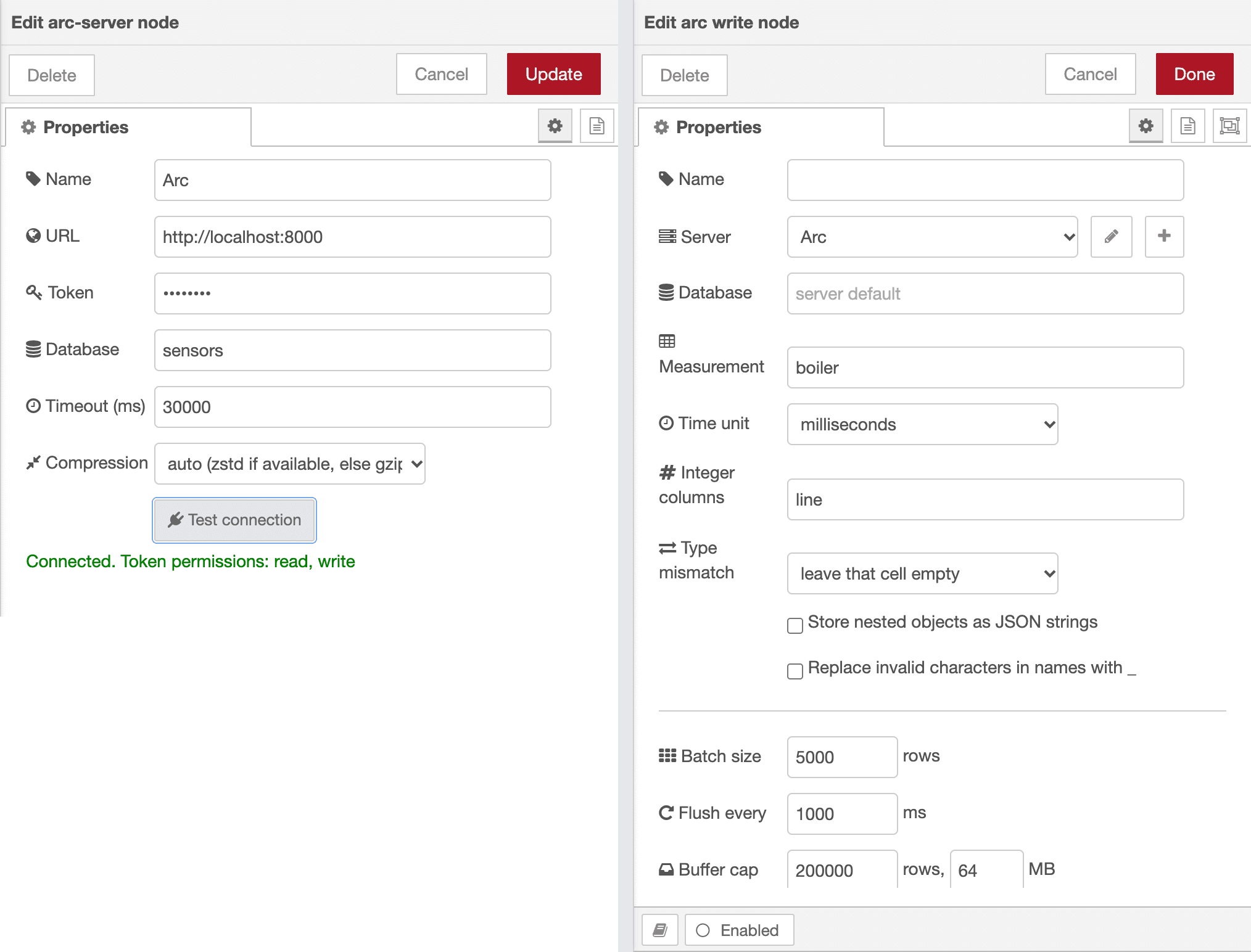
The flow in this post reads a boiler once a second. A function node stands in for the real sensor:
msg.measurement = 'boiler';
msg.payload = {
  sensor: 'a1',
  line: 3,
  temperature: Math.round((20 + Math.random() * 5) * 10) / 10,
  pressure: Math.round((1 + Math.random() / 10) * 1000) / 1000,
  ok: true
};
return msg;
msg.payload can also be an array of rows, {rows: [...]}, {columns: {...}} with one array per column, or a plain number, stored in a column called value. Each row takes its time from a time key, from msg.time, or from the moment it arrived.
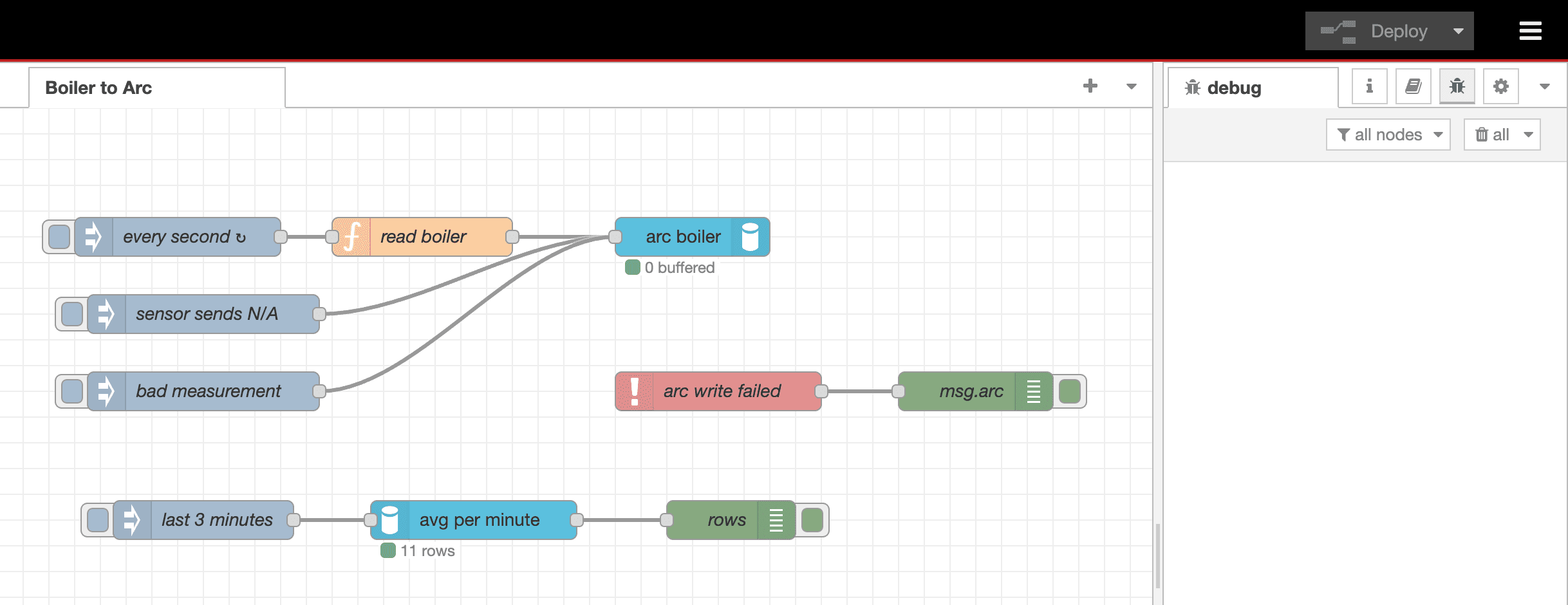
The node buffers rows and sends them every Flush every interval (1 second by default) or as soon as a measurement has Batch size rows. The status under the node shows how many are waiting.
Query it back
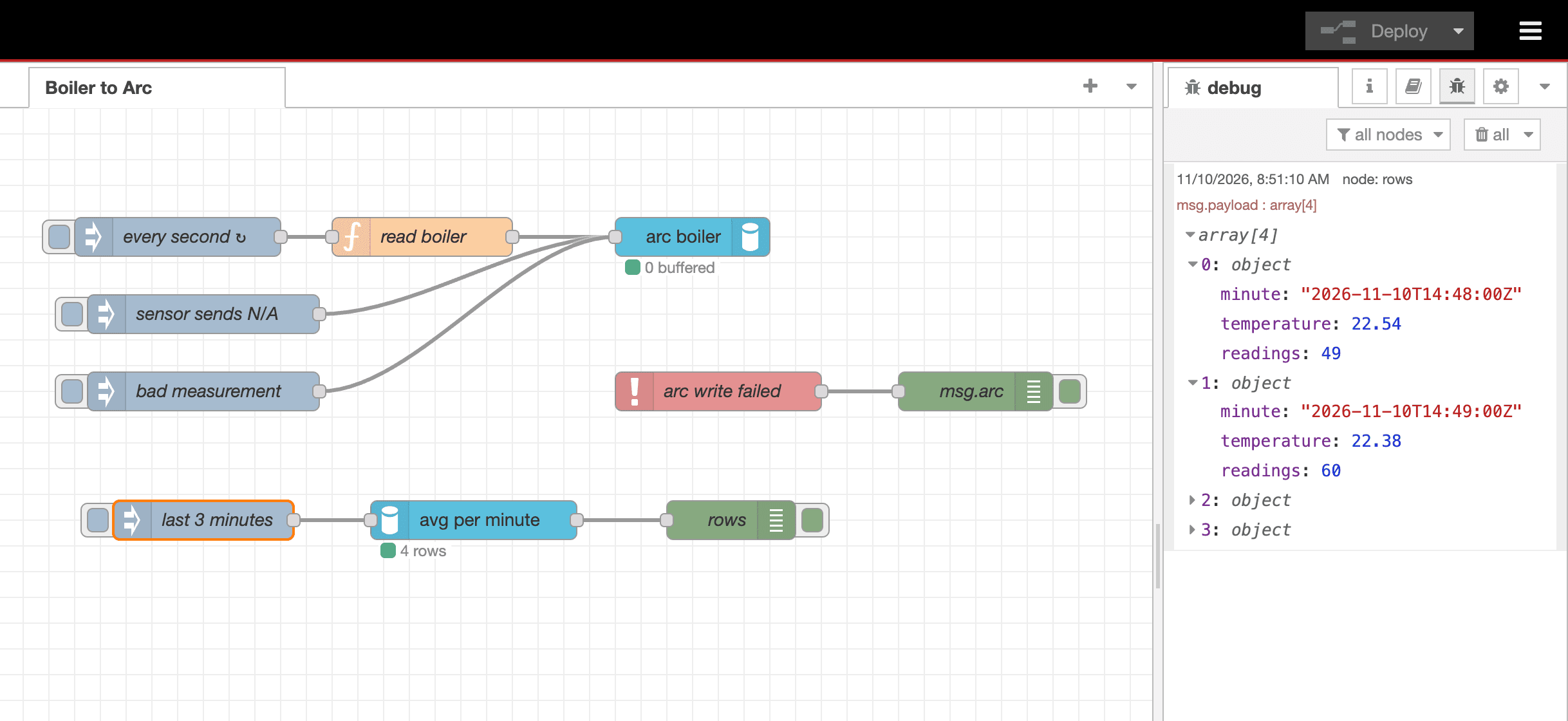
The arc query node runs SQL. Arc has no query parameters, so the node fills placeholders itself and quotes them as SQL literals; {{sensor}} below comes from msg.params.sensor:
SELECT time_bucket(INTERVAL '1 minute', time) AS minute,
       round(avg(temperature), 2) AS temperature,
       count(*) AS readings
FROM boiler
WHERE sensor = {{sensor}} AND time > now() - INTERVAL '3 minutes'
GROUP BY 1 ORDER BY 1
{{#name}} inserts an identifier, such as a column name, instead of a literal. A placeholder inside a quoted string or a comment is refused, and msg.sql cannot replace the node's SQL unless you allow it, because SQL built from upstream data is an injection waiting to happen.
Types: why every number is a float
Arc sets a column's type from the first value it sees in a request. If a sensor sends 21 and the next reading is 21.7, a client that writes 21 as an integer creates an integer column, and the decimals of later readings are lost. So the node writes every number as a floating-point value, even 21. Columns that really are integers, like line here, go in Integer columns.
The node also remembers the type of every column it has sent. When a value does not fit, it leaves that one cell empty, keeps the rest of the row, and tells you:
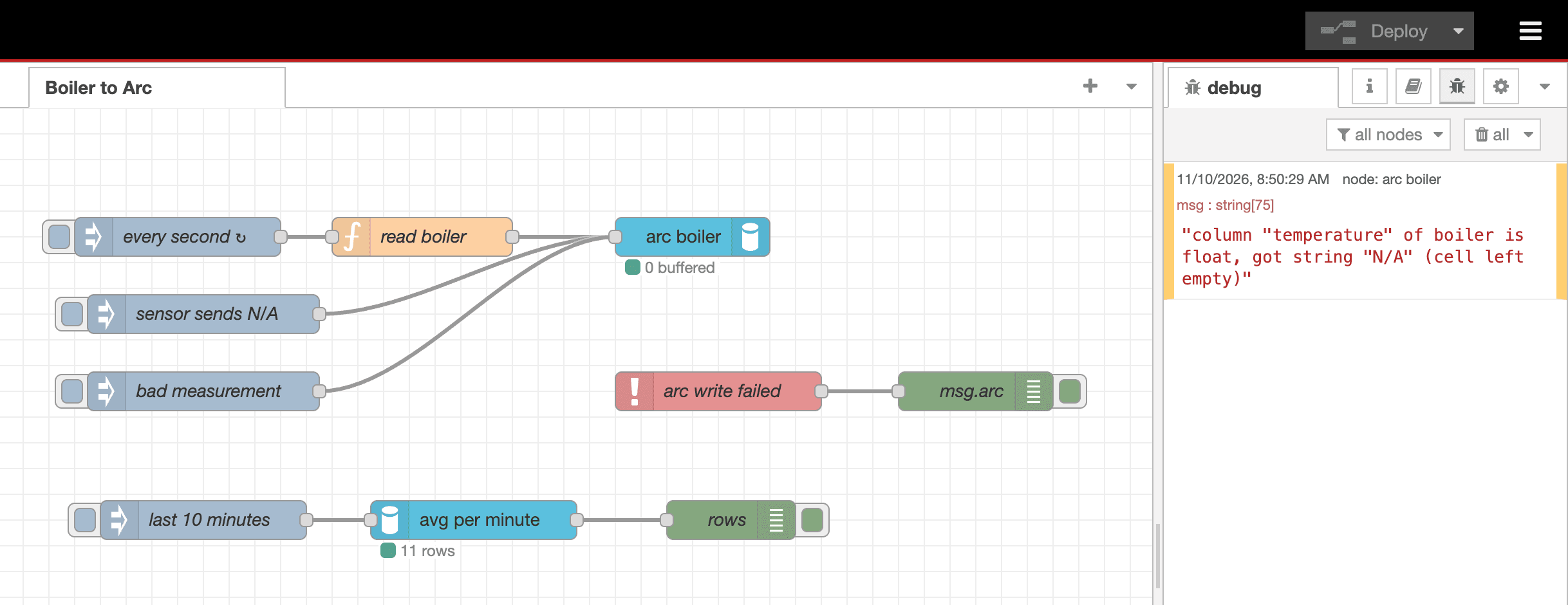
The rejected value is also in msg.arc.rejectedCells. Set Type mismatch to reject the message if you would rather drop the whole message, every row in it. Set Integer columns before the first write: the node keeps these types in memory and forgets them on redeploy, so changing the list later leaves the same column stored as a float in some files and an integer in others.
When things go wrong
Arc stops
This is the case every flow eventually meets. We stopped the Arc container while the flow kept reading the boiler once a second:
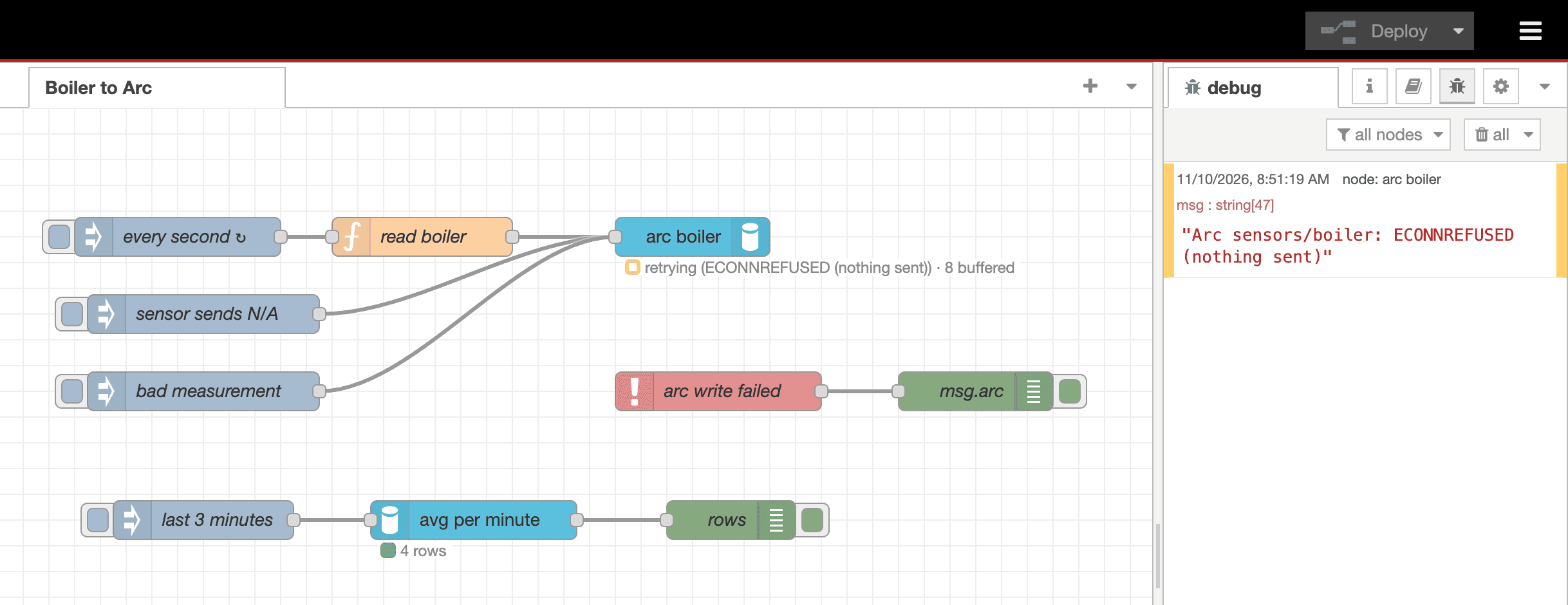
A refused connection means Arc received nothing, so the node keeps the rows and tries again, backing off from 1 to 30 seconds. When Arc came back, the buffer drained and every message finished. Afterwards, the boiler table had one row per second across the outage, with no gap longer than 1.3 seconds and no row twice.
How long the node can hold out is a setting: the buffer holds 200,000 rows or 64 MB by default. Size it as rows per second times the longest outage you want to ride out. When it is full, the oldest messages are dropped and go to Catch. The buffer lives in Node-RED's memory: if Node-RED itself restarts during an outage, the rows waiting in it are gone.
Arc says no
Not every failure is worth retrying. A measurement name with a space is rejected before anything is sent, so it cannot block the rows behind it:
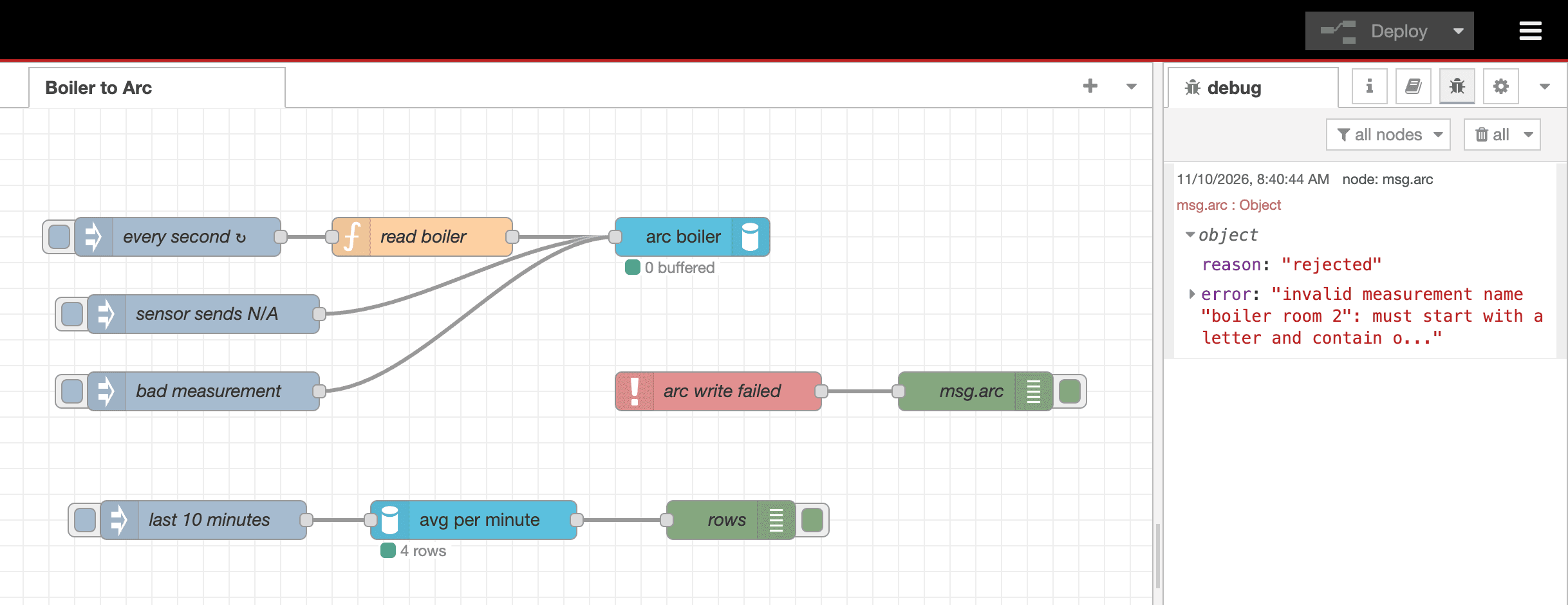
The same goes for a token that is not allowed to write: Arc answers 403 and the message goes to Catch. A token that Arc rejects outright (401) is different. The node pauses, keeps buffering, and checks the token every 60 seconds, so fixing the token in Arc is enough to resume.
The rule, in one table
The node resends a batch only when it knows Arc stored nothing:
| What happened | What the node does |
|---|---|
| Arc answered 204 | Finishes the messages |
| Connection refused, DNS failure | Keeps the rows, backs off, resends |
| Reset or timeout before the request was sent | Resends |
| 401 | Pauses, checks the token every 60 s |
| 413, the batch is too large | Splits it and sends the halves |
| 503 that Arc marks as "nothing written" (Arc 27.01.1) | Waits Retry-After, resends |
| Timeout or reset after the request was sent, 500, 502, 504 | Goes to Catch: Arc may have stored it |
| Any 503 on Arc 26.09.x | Goes to Catch: 26.09.x does not say whether it stored the batch |
400 partial write (Arc 27.01.1) | Goes to Catch with msg.arc.partial: most rows were stored, msg.arc.dropped says how many were not |
| Other 400s, 403 | Goes to Catch |
The trade is deliberate. When the node cannot tell whether Arc stored a batch, it reports it rather than risk writing it twice, so an ambiguous failure can lose those rows unless your flow handles them. If you do resend from a Catch node, msg.arc.written tells you how many of a large message's rows Arc already has, and a partial write already stored most of its batch. Resending everything can duplicate them.
One more thing about "acknowledged": a 204 means Arc accepted the rows. With its write-ahead log off, which is the default, Arc holds them in memory for up to a few seconds before writing Parquet. A clean shutdown flushes them; a crash in that window loses them. Turn the WAL on if that matters to you.
A preview: writer failover in Arc 27.01.1
Arc 27.01.1, the next release, marks the 503s that mean "nothing was written", lets a standby writer forward writes to the primary as readers already do, and sends each forwarded write exactly once. With those in place, the node can ride out a writer failover in a cluster. We tried it on a pre-release build: three writers (one primary, two standbys), two readers and a compactor, with cluster.failover_enabled on.
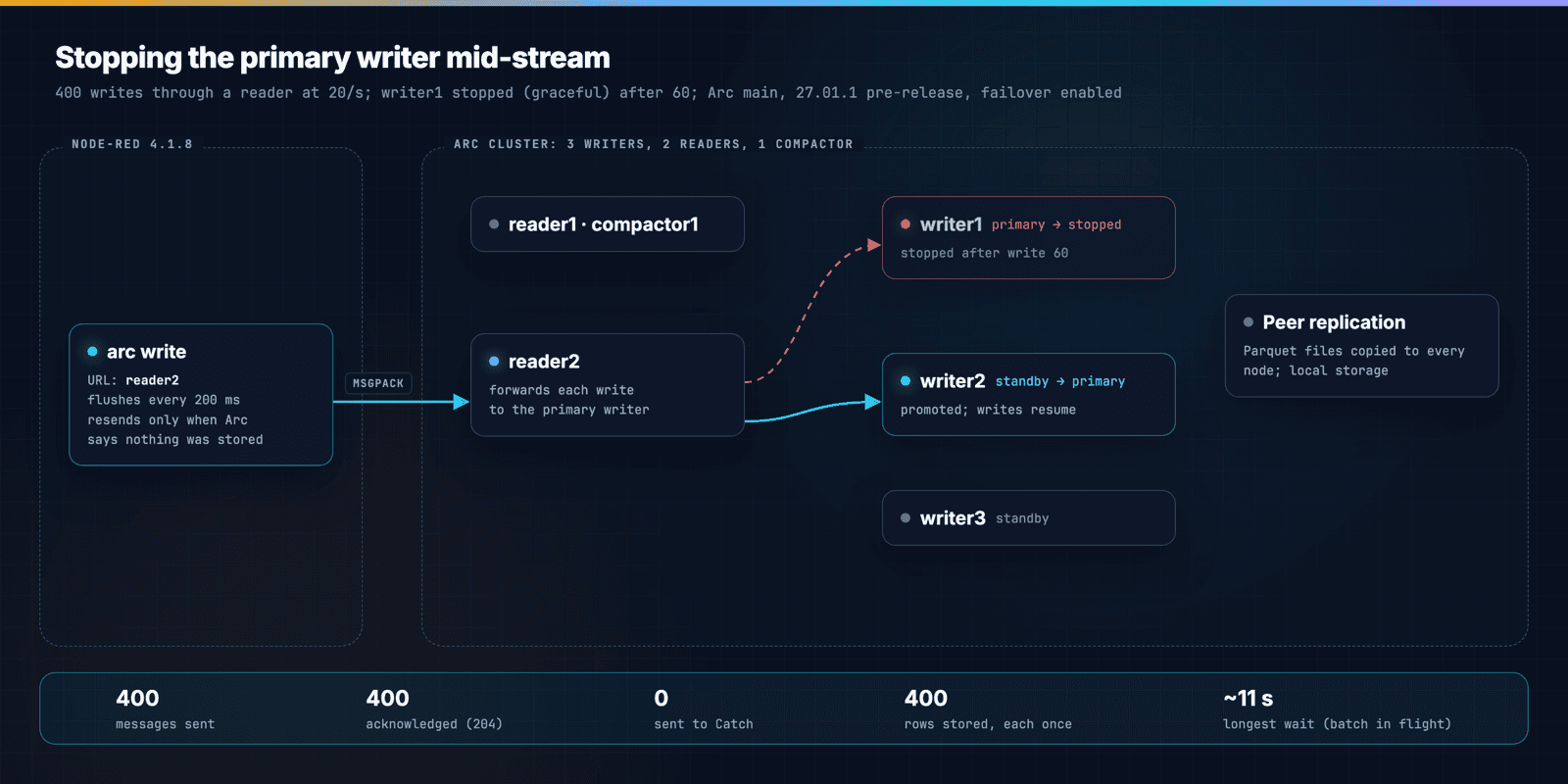
The flow sent 400 messages through a reader, one every 50 ms, to an arc write node flushing every 200 ms, and we stopped the primary writer after the 60th. A standby took over. All 400 messages were acknowledged, none went to Catch, and the table had 400 rows, each once. The batch that was in flight when the primary stopped waited about 11 seconds, then went through. That is inside the server node's default 30-second timeout, but a write forwarded by a reader can take up to a minute in the worst case, so raise Timeout above 60 seconds when you point the node at a reader.
Two caveats, because they matter. The primary was stopped cleanly; a crash with the WAL off can lose the rows it had acknowledged but not yet written, as above. And on Arc 26.09.x the same failover would send those writes to Catch instead, because 26.09.x does not mark which 503s are safe to resend. The Enterprise integration page has the details: which endpoint to point the node at, timeouts, and RBAC tokens.
Node-RED or Arc's MQTT subscriber?
In March we added native MQTT ingestion to Arc, so Arc can subscribe to a broker without anything in between. That is still the simpler choice when a flow does nothing but relay MQTT messages to Arc unchanged: one less process to run.
Use Node-RED when the flow does more than relay: it reads Modbus, OPC UA or a serial port, combines several sources, adds context from elsewhere, or decides what to keep. Those are the flows this package is for.
Wrapping up
- Install:
npm install @basekick-labs/node-red-arc, or search the palette. - Docs: Node-RED integration, with every setting, message format and failure case.
- Source, issues, known gaps: github.com/Basekick-Labs/node-red-arc. It is MIT licensed.
- Example flow: in Node-RED, Menu → Import → Examples → @basekick-labs/node-red-arc → mqtt-to-arc, a simulated sensor with a write, a Catch and a query, close to the flow in this post.
- Dashboards: once the data is in Arc, Grafana reads it with the same SQL.
If you build something with it, or it does something you did not expect, open an issue. We would like to hear about it.