
QNX is running a Global Hackathon this fall: build something for QNX 8.0 between November 2 and December 15, 2026. We entered with something we had wanted to exist for a while: a telemetry collector that runs on a QNX device and sends what the device is doing to Arc, without getting in the way of the real-time work the device is there to do.
It's called rtcollector-qnx, it's open source under Apache-2.0, and the first release runs on a Raspberry Pi 4 and on QEMU. Here is why we built it, how, and what we learned.
There is no telemetry collector for QNX
On Linux, getting telemetry off a machine is an install away: Telegraf, collectd, Fluent Bit, the OpenTelemetry Collector, a Prometheus exporter. Run one, and the system and the applications on it report what they're doing, all the time, to wherever you keep that data.
On QNX we found nothing like it. QNX's package repository for 8.0, about 3,500 packages, has none of those agents, and neither do the 239 projects in the qnx-ports organization. What QNX does have are its own tools, and they're excellent: tracelogger, the System Profiler, pidin. But they're troubleshooting tools you run on demand. You capture a trace when something already went wrong, and open it in an IDE. Nothing reports, automatically and continuously, what the system and the applications and servers running on it are doing.
So the most interesting data on a QNX system, when each thread ran and what got in its way, usually never leaves the device. The hackathon was the push to build the missing piece.
From rtcollector to rtcollector-qnx
We already had a collector. rtcollector started in May 2025 as a side project, before Basekick Labs even existed: a small Telegraf-style agent in Python, written to play with RedisTimeSeries. It later moved to the Basekick Labs organization, and we're planning to rewrite it in Go.
Neither Python nor Go fit here. A real-time system can't afford a collector with an interpreter or a garbage collector that pauses, allocates or takes the CPU at the wrong moment. So rtcollector-qnx is written in C11, built with the QNX SDP 8.0, and keeps rtcollector's YAML configuration and plugin model. It's designed around one rule:
The collector must never be the reason a deadline is missed.
Everything else follows from it. Buffers are allocated once at start. Nothing on a path a measured program waits on allocates, blocks or logs. When something has to give, the collector drops data and counts it; it never waits.
What it collects
rtcollector-qnx reads the system the QNX way:
- Scheduling latency per thread, from the kernel trace. For every thread that wakes up: how long it waited between becoming ready and running (p50, p99 and max), how many times it woke, how long it ran, how often it was preempted. Plus context switches and interrupts per CPU, and interrupts per vector. The collector runs its own trace session through
libtracelogand decodes it withlibtraceparser, one interval at a time. - CPU usage, without
/proc/stat. QNX doesn't have one. Each CPU has an idle thread inside the kernel process, so usage is one minus the share of the interval that thread ran. - Memory, processes and threads.
- Your own metrics, through a device file. rtcollector registers
/dev/rtcollectoras a QNX resource manager. Any program on the device publishes a metric by writing a line of line protocol to it: no library to link, no socket. The cost to the writer is one memory copy into a preallocated buffer.
Everything goes to Arc as columnar MessagePack, or to any MQTT broker. In Arc it's SQL: which threads waited longest in the last hour, and at what priority?
The bug that taught us the most
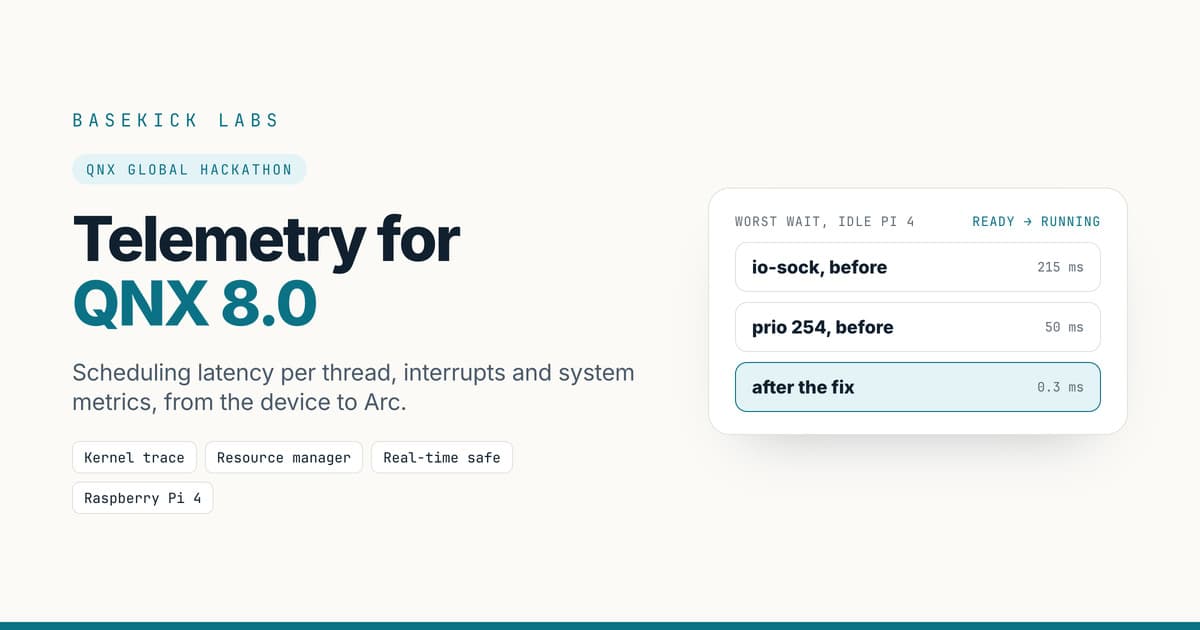
The first numbers from the Pi looked wrong. On an idle Raspberry Pi 4, a priority-254 thread, about as high as QNX priorities go, showed waits of 50 ms. Network threads showed 215 ms. Almost every bad value was a whole multiple of 5 ms.
Nothing on an idle four-core board makes a top-priority thread wait 50 ms. The data was lying, and the multiples of 5 ms were the clue: they were the periods of the threads that showed them.
QNX's kernel writes trace events into a separate buffer for each CPU, and those buffers reach the trace file as they fill up. A thread that wakes up on one CPU and runs on another has its "ready" event in one buffer and its "running" event in another, and the parser hands them over in buffer order, not time order. Our collector paired a "ready" with the wrong "running", one period later.
The fix was to stop trusting arrival order. The collector now collects each trace file's events, sorts them by time, and applies them only up to the newest time every CPU has reached. The rest waits for the next file. Where part of a file was lost, it drops what it can't trust and counts it, instead of guessing. On the same Pi, the worst wait went from 215 ms to 0.3 ms.
It's the kind of thing you only find by running on real hardware, and it's the kind of thing a monitoring tool must never get wrong: a collector that invents latency is worse than none.
On a Raspberry Pi 4
An idle Pi 4 produces about 1 MB of kernel trace events a second. With every input on and one-second rounds, rtcollector-qnx sends about 43 rows a second to Arc and uses about 3% of one core, most of it decoding the trace. You get per-thread scheduling data for every second the device runs, queryable alongside everything else you keep in Arc.
Try it
The first release, v0.1.0, is a single binary: nothing to compile. It runs on any QNX 8.0 target: a Raspberry Pi 4 (aarch64le), or a QNX virtual machine under QEMU (x86_64).
You need Arc somewhere the device can reach. It starts with authentication on and prints an admin token the first time:
docker run -d --name arc -p 8000:8000 -v arc-data:/app/data ghcr.io/basekick-labs/arc:latest
docker logs arc 2>&1 | grep -A6 "INITIAL ADMIN TOKEN"
On your computer, download the binary for your target and copy it over, together with the trace library from your QNX SDP (QNX's images don't include it):
curl -fsSLO https://github.com/Basekick-Labs/rtcollector-qnx/releases/download/v0.1.0/rtcollector-0.1.0-qnx8.0-aarch64le
scp rtcollector-0.1.0-qnx8.0-aarch64le qnxuser@qnxpi.local:/tmp/rtcollector
scp ~/qnx800/target/qnx/aarch64le/usr/lib/libtraceparser.so.1 qnxuser@qnxpi.local:/tmp/
On the device, as root, point a config at your Arc (by IP address: QNX doesn't resolve .local names) and run it:
mv /tmp/libtraceparser.so.1 /usr/lib/
cat > /tmp/rtcollector.yml <<'YML'
inputs: [cpu, mem, processes, trace, rmgr]
outputs:
  - arc:
      url: http://192.168.1.10:8000
      database: qnx
YML
chmod +x /tmp/rtcollector
RTC_ARC_TOKEN=<your admin token> /tmp/rtcollector --config /tmp/rtcollector.yml
A second later the rows are in Arc. The threads that waited longest to run:
SELECT process, thread, MAX(priority) AS prio, SUM(wakeups) AS wakeups,
       MAX(latency_max_ns) AS worst_ns
FROM sched GROUP BY process, thread ORDER BY worst_ns DESC LIMIT 10;
The getting-started guide has the rest: flashing the QNX 8.0 image on a Pi from scratch, Wi-Fi, the clock (a Pi has none that survives power-off, and that matters more than you'd think), running under QEMU without a Pi, publishing your own metrics, and starting at boot. The releases are on GitHub, next to the source.
You'll need a myQNX account for the QNX image and SDP, which QNX makes available free of charge for non-commercial use through QNX Everywhere.
What's next
That's up to you. We can't wait to see what you monitor with rtcollector on QNX and Arc: control loops, robots, test rigs, whatever runs on your QNX systems, and how much more observable it makes them. If you try it, tell us what you found, or open an issue on GitHub.
rtcollector-qnx's source is Apache-2.0. The release binaries are built with the QNX SDP 8.0 under QNX's non-commercial licence (QNX Everywhere). QNX is a trademark of BlackBerry Limited; rtcollector-qnx is not affiliated with or endorsed by BlackBerry, QNX or Raspberry Pi Ltd.