
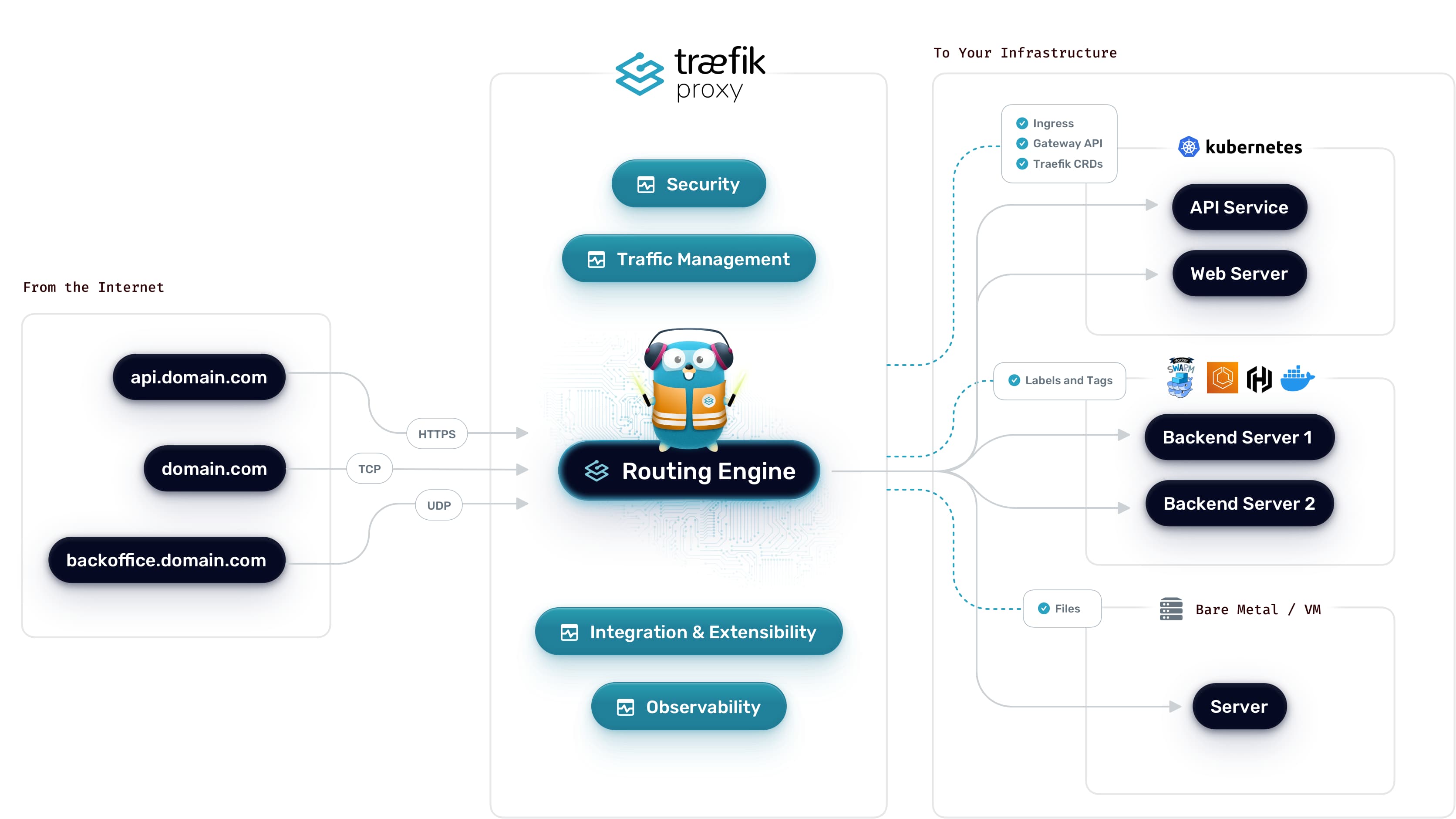
A few years ago I was a Traefik Ambassador. I've used pretty much every reverse proxy out there—nginx, HAProxy, Caddy, you name it—but Traefik remains my favorite for container environments. The automatic service discovery, the native Let's Encrypt integration, the clean configuration. It just works.
So when people ask how to run Arc in production with proper SSL termination, Traefik is my go-to answer. Let me show you how to set it up.
Why Traefik?
If you're running containers, Traefik makes your life easier:
- Automatic service discovery. Traefik watches Docker or Kubernetes and configures itself when containers come and go. No config reloads.
- Built-in Let's Encrypt. Automatic certificate generation and renewal. No cron jobs, no certbot scripts.
- Dynamic configuration. Add services via labels or annotations. No need to touch config files.
- Dashboard. See what's happening at a glance.
For Arc specifically, this means you can spin up Arc containers and Traefik will automatically route traffic to them, handle SSL termination, and renew certificates—all without manual intervention.
Docker Compose Setup
Let's start with a complete Docker Compose setup that gives you Arc behind Traefik with automatic HTTPS.
First, if you want to test Arc locally without Traefik, you can run it directly:
docker run -d -p 8000:8000 \
  -e STORAGE_BACKEND=local \
  -v arc-data:/app/data \
  ghcr.io/basekick-labs/arc:latest
On first run, Arc generates an admin token automatically. Grab it from the logs:
docker logs <container-id> | grep "Admin token"You'll need this token to authenticate API requests.
Now let's put Arc behind Traefik. Create a docker-compose.yml:
services:
  traefik:
    image: traefik:v3.6.7
    container_name: traefik
    restart: unless-stopped
    command:
      - "--api.dashboard=true"
      - "--providers.docker=true"
      - "--providers.docker.exposedbydefault=false"
      - "--entrypoints.web.address=:80"
      - "--entrypoints.websecure.address=:443"
      - "--entrypoints.web.http.redirections.entryPoint.to=websecure"
      - "--entrypoints.web.http.redirections.entryPoint.scheme=https"
      - "--certificatesresolvers.letsencrypt.acme.tlschallenge=true"
      - "--certificatesresolvers.letsencrypt.acme.email=your-email@example.com"
      - "--certificatesresolvers.letsencrypt.acme.storage=/letsencrypt/acme.json"
    ports:
      - "80:80"
      - "443:443"
    volumes:
      - "/var/run/docker.sock:/var/run/docker.sock:ro"
      - "letsencrypt:/letsencrypt"
    networks:
      - traefik-public
    labels:
      - "traefik.enable=true"
      - "traefik.http.routers.dashboard.rule=Host(`traefik.yourdomain.com`)"
      - "traefik.http.routers.dashboard.service=api@internal"
      - "traefik.http.routers.dashboard.entrypoints=websecure"
      - "traefik.http.routers.dashboard.tls.certresolver=letsencrypt"
      - "traefik.http.routers.dashboard.middlewares=auth"
      - "traefik.http.middlewares.auth.basicauth.users=admin:$$apr1$$xyz...$$hash"

  arc:
    image: ghcr.io/basekick-labs/arc:latest
    container_name: arc
    restart: unless-stopped
    environment:
      - STORAGE_BACKEND=local
    volumes:
      - arc-data:/app/data
    networks:
      - traefik-public
    labels:
      - "traefik.enable=true"
      - "traefik.http.routers.arc.rule=Host(`arc.yourdomain.com`)"
      - "traefik.http.routers.arc.entrypoints=websecure"
      - "traefik.http.routers.arc.tls.certresolver=letsencrypt"
      - "traefik.http.services.arc.loadbalancer.server.port=8000"

networks:
  traefik-public:
    external: true

volumes:
  letsencrypt:
  arc-data:
Note: Generate the basicauth password hash with
htpasswd -nb admin yourpassword. Double the$signs in docker-compose (so$apr1$becomes$$apr1$$).
Before running this, create the external network:
docker network create traefik-publicThen start everything:
docker compose up -dGrab the admin token from Arc's logs:
docker logs arc | grep "Admin token"That's it. Traefik will:
- Obtain a certificate from Let's Encrypt for
arc.yourdomain.com - Redirect all HTTP traffic to HTTPS
- Proxy requests to Arc on port 8000
- Renew the certificate automatically before it expires
What's happening here?
Let me break down the key parts:
Traefik configuration (via command flags):
providers.docker=true— Watch Docker for containers with Traefik labelsexposedbydefault=false— Only expose containers that explicitly havetraefik.enable=trueentrypoints.web/entrypoints.websecure— Listen on ports 80 and 443certificatesresolvers.letsencrypt— Configure Let's Encrypt with TLS challenge
Arc labels:
traefik.enable=true— Tell Traefik to route traffic to this containertraefik.http.routers.arc.rule=Host(...)— Match requests for this domaintraefik.http.routers.arc.tls.certresolver=letsencrypt— Use Let's Encrypt for this routetraefik.http.services.arc.loadbalancer.server.port=8000— Arc listens on port 8000
Testing
Once everything is up, test your setup:
# Check Traefik is routing correctly
curl -I https://arc.yourdomain.com/health

# Write some data (replace $ARC_TOKEN with the token from logs)
curl -X POST https://arc.yourdomain.com/api/v1/write/line-protocol \
  -H "Authorization: Bearer $ARC_TOKEN" \
  -H "X-Arc-Database: test" \
  -d 'temperature,location=office value=22.5'

# Query it back
curl -X POST https://arc.yourdomain.com/api/v1/query \
  -H "Authorization: Bearer $ARC_TOKEN" \
  -H "Content-Type: application/json" \
  -d '{"sql": "SELECT * FROM test.temperature"}'
Starting 26.02.1 You will be able to do
curl -X POST https://arc.yourdomain.com/api/v1/query \
  -H "Authorization: Bearer $ARC_TOKEN" \
  -H "Content-Type: application/json" \
  -H "X-Arc-Database: test" \
  -d '{"sql": "SELECT * FROM temperature"}'
Kubernetes Setup
Now let's do the same thing in Kubernetes. We'll use Traefik as an Ingress controller with cert-manager for Let's Encrypt certificates.
Prerequisites
First, install Traefik and cert-manager if you haven't already:
# Install Traefik
helm repo add traefik https://traefik.github.io/charts
helm repo update
helm install traefik traefik/traefik -n traefik --create-namespace

# Install cert-manager
helm repo add jetstack https://charts.jetstack.io
helm repo update
helm install cert-manager jetstack/cert-manager \
  --namespace cert-manager \
  --create-namespace \
  --set crds.enabled=true
Create a ClusterIssuer for Let's Encrypt
Create cluster-issuer.yaml:
apiVersion: cert-manager.io/v1
kind: ClusterIssuer
metadata:
  name: letsencrypt-prod
spec:
  acme:
    server: https://acme-v02.api.letsencrypt.org/directory
    email: your-email@example.com
    privateKeySecretRef:
      name: letsencrypt-prod
    solvers:
      - http01:
          ingress:
            class: traefik
Apply it:
kubectl apply -f cluster-issuer.yamlDeploy Arc
Create arc-deployment.yaml:
apiVersion: v1
kind: Namespace
metadata:
  name: arc

---
apiVersion: v1
kind: PersistentVolumeClaim
metadata:
  name: arc-data
  namespace: arc
spec:
  accessModes:
    - ReadWriteOnce
  resources:
    requests:
      storage: 50Gi

---
apiVersion: apps/v1
kind: Deployment
metadata:
  name: arc
  namespace: arc
spec:
  replicas: 1
  selector:
    matchLabels:
      app: arc
  template:
    metadata:
      labels:
        app: arc
    spec:
      containers:
        - name: arc
          image: ghcr.io/basekick-labs/arc:26.01.1
          ports:
            - containerPort: 8000
          env:
            - name: STORAGE_BACKEND
              value: "local"
          volumeMounts:
            - name: data
              mountPath: /app/data
          resources:
            requests:
              memory: "512Mi"
              cpu: "250m"
            limits:
              memory: "2Gi"
              cpu: "2000m"
          livenessProbe:
            httpGet:
              path: /health
              port: 8000
            initialDelaySeconds: 10
            periodSeconds: 30
          readinessProbe:
            httpGet:
              path: /health
              port: 8000
            initialDelaySeconds: 5
            periodSeconds: 10
      volumes:
        - name: data
          persistentVolumeClaim:
            claimName: arc-data

---
apiVersion: v1
kind: Service
metadata:
  name: arc
  namespace: arc
spec:
  selector:
    app: arc
  ports:
    - port: 8000
      targetPort: 8000

---
apiVersion: networking.k8s.io/v1
kind: Ingress
metadata:
  name: arc
  namespace: arc
  annotations:
    cert-manager.io/cluster-issuer: letsencrypt-prod
    traefik.ingress.kubernetes.io/router.entrypoints: websecure
    traefik.ingress.kubernetes.io/router.tls: "true"
spec:
  ingressClassName: traefik
  tls:
    - hosts:
        - arc.yourdomain.com
      secretName: arc-tls
  rules:
    - host: arc.yourdomain.com
      http:
        paths:
          - path: /
            pathType: Prefix
            backend:
              service:
                name: arc
                port:
                  number: 8000
Apply it:
kubectl apply -f arc-deployment.yamlWhat's happening here?
The Kubernetes setup has a few more pieces:
cert-manager ClusterIssuer:
- Configures Let's Encrypt as the certificate authority
- Uses HTTP-01 challenge via Traefik ingress
Arc Deployment:
- Runs Arc with authentication enabled
- Mounts a persistent volume for data storage
- Includes health checks for proper pod lifecycle management
Ingress:
cert-manager.io/cluster-issuer: letsencrypt-prod— Request a certificate from our ClusterIssuertraefik.ingress.kubernetes.io/router.entrypoints: websecure— Only accept HTTPS- TLS configuration with the certificate stored in
arc-tlssecret
cert-manager will automatically:
- Request a certificate from Let's Encrypt
- Complete the HTTP-01 challenge
- Store the certificate in a Kubernetes secret
- Renew the certificate before it expires
Verify the deployment
# Check pods are running
kubectl get pods -n arc

# Get the admin token from Arc's logs
kubectl logs -n arc deployment/arc | grep "Admin token"

# Check certificate status
kubectl get certificate -n arc

# Check ingress
kubectl get ingress -n arc

# Test the endpoint
curl -I https://arc.yourdomain.com/health
Tips for Production
A few things I've learned running this setup in production:
Rate limits. Let's Encrypt has rate limits. If you're testing, use the staging server first:
server: https://acme-staging-v02.api.letsencrypt.org/directoryPersistent storage. Make sure your certificate storage (acme.json in Docker, secrets in Kubernetes) is persistent. Losing certificates means hitting rate limits when you recreate them.
Health checks. Arc exposes /health for liveness checks. Use it. Traefik will stop routing to unhealthy instances.
Middleware. Traefik supports middleware for rate limiting, IP whitelisting, and more. Consider adding rate limiting for public-facing deployments:
labels:
  - "traefik.http.middlewares.arc-ratelimit.ratelimit.average=100"
  - "traefik.http.middlewares.arc-ratelimit.ratelimit.burst=50"
  - "traefik.http.routers.arc.middlewares=arc-ratelimit"
Resources
- Traefik Documentation: doc.traefik.io
- cert-manager Documentation: cert-manager.io/docs
- Arc Documentation: docs.basekick.net/arc
- Arc Docker Image: ghcr.io/basekick-labs/arc